

For most industrial buyers, a laser marking machine cost is not decided by the machine name alone. A basic 20W fiber laser marker, a portable laser marking machine, a UV laser system for plastics, and an automated marking workstation can all be called “laser marking machines,” but their budgets and production value are very different.
As a practical reference, buyers may find entry-level fiber marking systems in a lower price range, while enclosed workstations, UV laser marking machines, higher-power fiber systems, and automated production-line marking systems usually require a higher investment. The final laser marking machine price depends on laser type, power, marking material, machine structure, software, fixtures, safety design, and after-sales support.
This article explains the main price factors industrial buyers should evaluate before requesting a quote. The goal is not to choose the cheapest machine, but to choose a configuration that can produce clear, repeatable, and durable marks in real production.
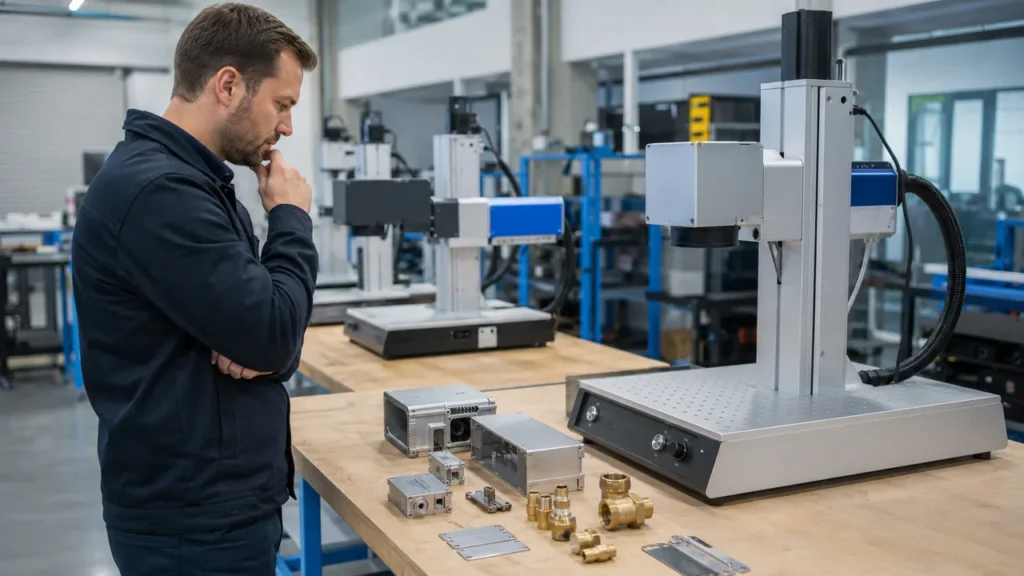
Quick Answer: Typical Laser Marking Machine Cost Levels
The table below gives a general cost-level reference for industrial buyers. Actual pricing can change based on laser source brand, power, lens, enclosure, accessories, automation, destination country, and service scope. It should be used as a purchasing framework, not as a fixed quotation.
| Machine Type | Typical Buyer Use | General Cost Level | Common Price Drivers |
|---|---|---|---|
| 20W Fiber Laser Marking Machine | Basic logos, text, serial numbers, small metal tags, light marking | Lower | Laser source, lens field, software, worktable, basic accessories |
| 30W Fiber Laser Marking Machine | General metal marking, QR codes, nameplates, tools, hardware parts | Lower to Medium | Higher marking speed, wider material coverage, better productivity |
| 50W Fiber Laser Marking Machine | Faster metal marking, deeper engraving, reflective metals, higher daily output | Medium | Laser power, cooling stability, scanner quality, fixture requirements |
| 100W Fiber Laser Marking Machine | Deep engraving, heavy-duty marking, high-throughput industrial use | Medium to High | High-power laser source, stronger structure, heat control, production duty cycle |
| Portable Laser Marking Machine | Large parts, molds, pipes, machinery frames, on-site marking | Medium | Handheld design, battery option, weight, focusing system, portability |
| UV Laser Marking Machine | Plastic, glass, electronics, medical components, cosmetic packaging | Medium to High | UV laser source, fine beam quality, heat-sensitive material performance |
| CO2 Laser Marking Machine | Wood, paper, leather, acrylic, glass, packaging, coated materials | Lower to Medium | Laser tube/source, working area, cooling, material absorption |
| Automated Laser Marking System | Production-line traceability, conveyors, vision positioning, flying marking | High | Automation, fixture design, software integration, safety enclosure, data system |
The most important point is this: two machines with the same laser power may still have different prices because the scanner, controller, lens, enclosure, software functions, fixture design, and support package may not be the same.
Why Laser Marking Machine Prices Vary So Much
A laser marking machine is not only a laser source. It is a complete marking system. For factory buyers, the machine must solve a production problem: marking the right material, at the right speed, with the right contrast, and with stable repeatability.
Before comparing quotations, buyers should define five basic requirements:
- Material: stainless steel, aluminum, brass, copper, plastic, glass, wood, leather, packaging film, or coated material.
- Marking effect: light surface marking, black marking, deep engraving, QR code, barcode, serial number, logo, or anti-counterfeit code.
- Production volume: occasional marking, small batch production, daily factory use, or continuous line marking.
- Part handling: small flat parts, round parts, heavy components, fixed equipment, or irregular workpieces.
- Safety and workflow: open desktop machine, enclosed workstation, portable unit, or automated marking cell.
A buyer asking only for a “laser marking machine for sale” may receive very different quotations. A buyer who provides material samples, part photos, marking content, cycle time, and production goals will usually receive a more accurate and useful recommendation.
Laser Type: Fiber, UV or CO2
The laser type is one of the biggest cost factors. A laser marking machine for metal is usually not configured the same way as a machine for glass, plastic packaging, or leather products.
Fiber Laser Marking Machine Cost
A fiber laser marking machine is commonly used for stainless steel, carbon steel, aluminum, brass, copper, titanium, tools, nameplates, electronic parts, automotive parts, and hardware. For buyers comparing fiber laser marking machine price, the main cost drivers are laser power, laser source brand, scanner quality, lens field, marking software, enclosure, and accessories.
Fiber laser systems are often selected for permanent metal marking because they can mark logos, serial numbers, barcodes, QR codes, Data Matrix codes, and part identification. However, the right configuration depends on the required speed, depth, contrast, and code readability.
UV Laser Marking Machine Cost
A UV laser marking machine is often selected for heat-sensitive materials, fine marking, plastics, glass, electronic components, medical parts, and cosmetic packaging. Compared with a basic fiber laser marker, a UV system may cost more because it is used for applications where heat control, fine beam quality, and surface cleanliness matter.
For example, a plastic housing may burn or discolor under the wrong laser type. A UV laser may produce a cleaner result, but it should still be confirmed through sample testing. Buyers searching for laser marking machine for plastic should not choose only by price; they should compare real mark quality on the exact plastic material.
CO2 Laser Marking Machine Cost
A CO2 laser marking machine is usually considered for non-metallic materials such as wood, paper, leather, rubber, acrylic, cardboard, glass, and some packaging materials. A CO2 system may be cost-effective for date codes, logos, and packaging marks, but it is not the first choice for most bare metal marking tasks.
If a factory marks both metal and non-metal materials, one machine may not cover everything perfectly. Mixed-material buyers should test all key materials before finalizing the machine type.
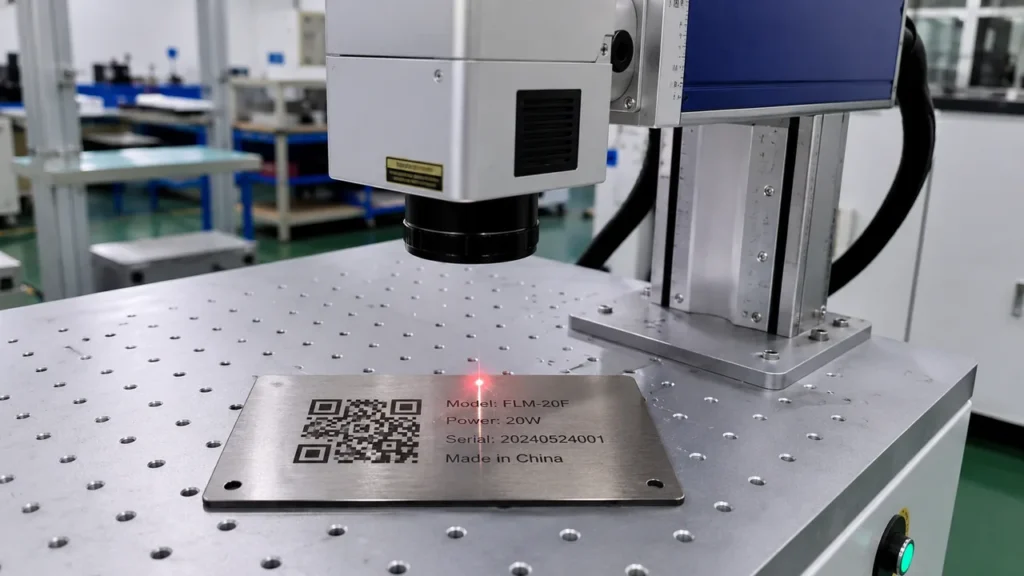
Laser Power: 20W, 30W, 50W or 100W?
Power selection has a direct impact on cost. Many buyers search for 20W fiber laser marking machine price, 30W fiber marker, 50W fiber laser marking machine price, or 100W laser marking machine before requesting a quotation. This is a good starting point, but power should be selected by application, not by number alone.
| Power Level | Best-Fit Applications | Cost Impact | Buyer Advice |
|---|---|---|---|
| 20W | Light metal marking, logos, small text, serial numbers, small tags | Lower cost | Good for basic marking, but may be slower for deep engraving or high-volume work. |
| 30W | General industrial marking on steel, aluminum, tools, hardware, and nameplates | Slightly higher | A balanced choice for buyers needing better speed and wider material coverage. |
| 50W | Faster marking, deeper engraving, high-contrast marks, reflective metal parts | Medium | Useful when production speed, mark depth, or material difficulty increases. |
| 100W | Deep engraving, heavy-duty metal marking, continuous production | Higher | Suitable when depth and throughput justify the investment. |
A 20W machine may mark a stainless steel tag clearly. A 50W machine may finish the same mark faster or create a deeper result. A 100W system may be useful for deeper engraving, but it is not automatically the best choice for every part. Too much power, poor parameter control, or incorrect focusing can create rough edges, heat effects, or inconsistent marks.
The correct way to compare power is to request sample marking under realistic conditions. Check the mark appearance, cycle time, QR code readability, edge quality, surface damage, and repeatability after cleaning or handling.
Machine Structure: Desktop, Standard, Portable or Enclosed
The machine structure also changes the final cost. A simple desktop unit may be enough for small flat parts. A standard workstation may be better for daily batch marking. A portable or handheld machine may be better for large parts that cannot be moved easily. An enclosed system may be needed for safety, smoke extraction, and production control.
Standard Laser Marking Machine
A standard laser marking machine is suitable for workshops that mark regular batches of small and medium-sized parts. It is useful when operators need stable focusing, repeatable positioning, and convenient fixture setup. Buyers marking nameplates, tools, electronic components, medical parts, or jewelry items may prefer this structure over a handheld system.
Portable and Handheld Laser Marking Machine
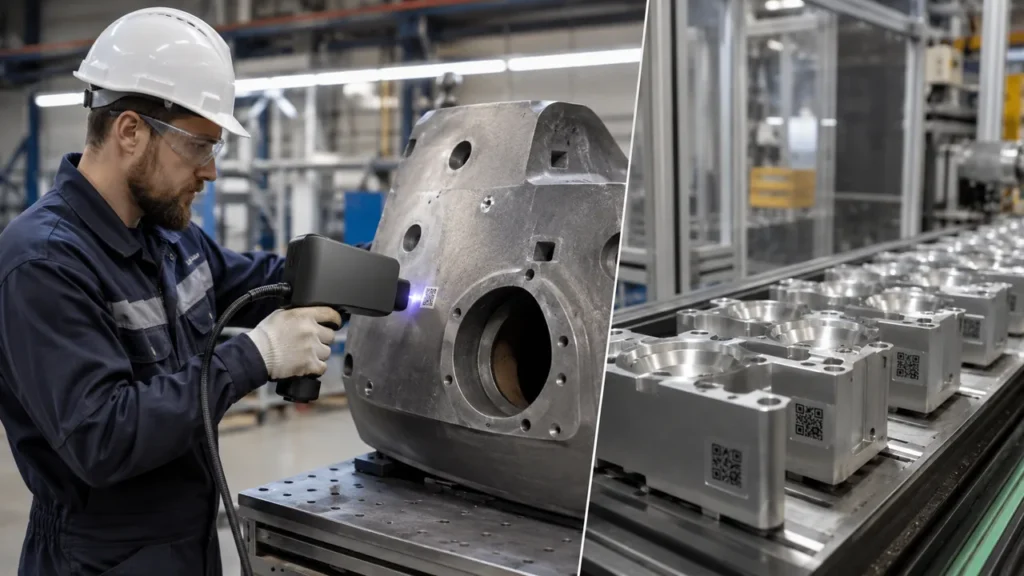
A portable laser marking machine is useful when the part is too large, heavy, or fixed in place. Common examples include molds, large pipes, machinery frames, steel structures, maintenance parts, and equipment nameplates.
A handheld laser marking machine is not always cheaper than a standard desktop marker. Its value is in reducing part handling. If moving the workpiece requires a crane, forklift, or production shutdown, portability may save more money than the price difference between machine types.
Enclosed Workstation
An enclosed workstation usually increases cost, but it may be necessary in professional factories. It can improve operator safety, control smoke and dust, reduce reflected laser risk, and make the process easier to manage. For automotive, electronics, medical device, aerospace, and export manufacturing, safety and repeatability are often as important as the initial machine price.
Marking Area, Lens and Part Size
The marking field affects both price and performance. A larger marking area may require a different F-theta lens. However, a larger field is not always better. In many laser marking systems, increasing the field size can reduce energy density and fine detail performance.
Buyers should confirm:
- Maximum required mark size
- Minimum character height
- QR code or Data Matrix code size
- Part thickness and working distance
- Whether the part is flat, curved, cylindrical, or irregular
- Whether a rotary device is needed for rings, pipes, bottles, or round tools
If the machine price does not include the correct lens, rotary device, or fixture, the initial quotation may look low but become incomplete for real production.
Software and Coding Functions
For industrial buyers, software is not a small detail. A machine used only for logos has different software requirements from a system used for traceability. If the factory needs automatic serial numbers, production dates, barcodes, QR codes, Data Matrix codes, file import, rotary marking, or flying marking, these functions should be confirmed before purchase.
For metal part traceability, buyers should also consider whether the marked code can be scanned after assembly, cleaning, surface treatment, and packaging. A visible QR code is not enough. It must be readable in the actual production environment.
For more background on this application, this article about fiber laser marking for metal part traceability can be used as a related reference.
Fixtures, Rotary Devices and Custom Tooling
Fixtures are often ignored when buyers compare low cost laser marking machine options. In real production, the fixture may decide whether the operator can load parts quickly and mark the correct position every time.
Typical accessories that may affect the total price include:
- Rotary device for rings, pipes, bottles, and cylindrical parts
- Custom fixture for irregular metal parts
- Adjustable Z-axis or electric lifting column
- Foot switch or external trigger
- Fume extractor for smoke or dust control
- Vision positioning system
- Conveyor and flying marking module
- Protective enclosure and interlock system
When comparing two quotations, check whether these items are included. A cheaper quote may only include the basic machine, while another quote may include the complete working setup.
Automation: Higher Machine Price, Lower Unit Cost
Automation increases the initial machine cost, but it may reduce the cost per marked part. This is especially true when the same product is marked thousands of times per day, when code content changes automatically, or when traceability data must be connected with a production system.
| Automation Level | Typical Setup | When It Makes Sense |
|---|---|---|
| Manual Loading | Operator places parts one by one | Small batches, flexible products, low daily volume |
| Fixture-Based Batch Marking | Multiple parts loaded into a fixture | Repeated parts, medium volume, better positioning consistency |
| Conveyor Marking | Parts move through the marking area | Packaging, electronics, labels, production-line coding |
| Vision Positioning | Camera detects part position before marking | Parts with position variation or high precision requirements |
| Integrated Traceability System | Laser marker connects with MES, ERP, barcode database, or PLC | Automotive, electronics, medical, aerospace, and regulated manufacturing |
If the machine runs only one hour per week, automation may not be necessary. If the machine supports a production line every day, automation can reduce labor cost, marking errors, and rework.
Common Mistakes When Comparing Laser Marking Machine Prices
Many purchasing problems happen because buyers compare quotations too simply. A low price can be attractive, but it may not include the configuration required for real factory use.
1. Comparing Only Laser Power
A 50W machine is not automatically better than a 30W machine if the scanner, lens, software, cooling, and fixture are weak. Power matters, but the complete system matters more.
2. Ignoring Sample Testing
Material names can be misleading. “Plastic,” “aluminum,” or “stainless steel” may include different grades, coatings, colors, and surface treatments. Sample testing is the safest way to confirm mark quality.
3. Forgetting Fixtures and Rotary Devices
A machine may mark perfectly on a flat sample plate but fail on real parts because there is no proper fixture. This is common with round parts, curved tools, rings, pipes, and irregular components.
4. Choosing an Open Machine When an Enclosure Is Needed
An open machine may reduce initial cost, but it may not meet factory safety expectations. Buyers should consider reflected laser risk, smoke, dust, operator protection, and local safety practices.
5. Comparing FOB Machine Price Only
The machine price may not include shipping, tax, import duty, training, installation, spare parts, remote support, sample testing, or custom tooling. Industrial buyers should compare the full project cost, not only the base machine cost.
6. Buying a Hobby Engraver for Industrial Marking
Some low-cost engraving machines are suitable for hobby, gifts, or light personalization. Industrial marking usually requires better stability, repeatability, code readability, safety design, and support.
Realistic Buyer Scenarios
Scenario 1: Stainless Steel Nameplate Factory
A nameplate factory needs to mark logos, model numbers, and serial numbers on stainless steel plates. The parts are flat, the marking area is small, and the daily volume is moderate. In this case, a 20W or 30W fiber laser marking machine may be enough after sample testing. The buyer should focus on fixture convenience, marking speed, contrast, and software support for serial numbers.
Scenario 2: Automotive Aluminum Parts Supplier
An automotive supplier needs to mark QR codes and part numbers on aluminum housings. The codes must remain readable after handling and assembly. This buyer may need to compare 30W and 50W fiber laser systems, test different parameters, and confirm code scanning under real factory lighting. A lower-cost machine may not be suitable if it cannot produce stable, readable codes.
Scenario 3: Jewelry Workshop
A jewelry workshop marks gold, silver, rings, bracelets, and small decorative parts. The buyer may care more about fine detail, rotary marking, small character quality, and surface finish than raw marking speed. A rotary device and fine lens selection may be more important than choosing the highest laser power.
Scenario 4: Cable and Electrical Parts Manufacturer
A cable or electrical parts manufacturer may need serial numbers, batch codes, and identification marks on plastic insulation, metal terminals, or coated components. Material testing is critical because plastic types respond differently to fiber, UV, and CO2 lasers. The buyer should confirm whether one machine can cover all materials or whether different laser types are needed.
Scenario 5: Heavy Machinery Maintenance Team
A maintenance team needs to mark large metal structures, molds, or fixed equipment. Moving the part to a worktable is difficult. A portable or handheld laser marking machine may cost more than a basic desktop marker, but it can reduce handling time and make on-site marking practical.
Total Cost of Ownership: What Buyers Should Calculate
The purchase price is only one part of the total cost. Industrial buyers should also calculate operating cost, downtime risk, maintenance, training, spare parts, fixture cost, and future expansion.
| Cost Item | What to Check Before Purchase |
|---|---|
| Machine Configuration | Laser type, power, source brand, scanner, controller, lens, software, and enclosure |
| Sample Testing | Whether real parts are tested before order confirmation |
| Accessories | Rotary device, fixture, foot switch, fume extractor, lens options, and safety cover |
| Installation and Training | Operator training, parameter setup, software guidance, and maintenance instruction |
| Production Efficiency | Marking time, loading time, focusing time, and rework rate |
| Maintenance | Lens cleaning, dust control, cooling condition, working environment, and spare parts |
| Support | Warranty period, response time, remote support, software updates, and spare part supply |
| Future Expansion | Higher power, automation, larger marking area, vision positioning, or data integration |
Buyer Checklist Before Requesting a Quote
To get a more accurate laser marking machine quotation, prepare the following information before contacting a supplier:
- Material type and grade, such as stainless steel, aluminum, brass, copper, ABS, PC, PP, glass, or coated plastic
- Surface condition, such as polished, brushed, anodized, plated, painted, coated, or raw
- Marking content, such as logo, text, serial number, barcode, QR code, or Data Matrix code
- Required mark size and position
- Required depth, contrast, color effect, or code readability
- Part size, weight, and shape
- Daily production volume and target cycle time
- Manual, batch, portable, or automated marking requirement
- Safety enclosure, smoke extraction, and factory EHS requirements
- Destination country, voltage, plug type, shipping method, and installation needs
With this information, quotations become easier to compare. Buyers can see whether each supplier is offering only a basic machine or a complete marking solution for the actual production task.
Conclusion: The Best Laser Marking Machine Cost Is Based on Production Fit
A laser marking machine can be low-cost or high-investment depending on laser type, power, machine structure, marking material, software, fixtures, automation, and support. For industrial buyers, the best choice is not always the cheapest machine. It is the machine that can produce stable, readable, and repeatable marks at the required production speed.
If the project involves simple logo marking on flat metal tags, a lower-power fiber system may be enough. If the project involves reflective metals, deep engraving, plastic marking, glass marking, on-site marking, or production-line traceability, the configuration and budget will change.
The safest purchasing method is to define the application first, test real samples, compare complete configurations, and calculate total cost of ownership. A well-selected laser marking machine should reduce rework, improve traceability, support daily operators, and remain reliable in real production.
FAQ: Laser Marking Machine Cost
1. How much does a laser marking machine cost?
The cost depends on laser type, power, structure, software, accessories, enclosure, automation, and support. A basic fiber laser marker is usually in a lower cost level, while UV systems, higher-power fiber machines, portable systems, enclosed workstations, and automated marking lines usually require a higher budget.
2. How much does a 20W fiber laser marking machine cost?
A 20W fiber laser marking machine is usually one of the lower-cost industrial options. It is suitable for light metal marking, logos, small text, serial numbers, and simple QR codes. The final price still depends on laser source, lens, software, worktable, enclosure, and included accessories.
3. Is a 50W fiber laser marking machine worth the higher price?
A 50W fiber laser marking machine may be worth the higher price when the buyer needs faster marking, deeper engraving, better productivity, or stronger performance on reflective metals. For simple light marking, 20W or 30W may be enough after sample testing.
4. Why is a UV laser marking machine more expensive?
UV laser marking machines are often used for fine marking, plastics, glass, electronics, and heat-sensitive materials. They require a different laser source and are selected for applications where low heat impact and clean marking quality are important.
5. What affects portable laser marking machine price?
Portable laser marking machine price is affected by laser power, handheld design, machine weight, battery option, focusing system, software, marking stability, and industrial durability. The value of a portable system is often in reducing part handling and enabling on-site marking.
6. Should I choose the cheapest laser marking machine?
Not always. A cheap laser marking machine may be suitable for simple tasks, but it may not provide the speed, stability, code readability, safety, or support required for industrial production. Buyers should compare complete configuration and sample results, not only the base price.
7. What information should I provide to get an accurate quote?
Provide material details, part photos or drawings, marking content, required mark size, production volume, cycle time target, surface condition, and durability requirements. If possible, real sample testing should be done before confirming the machine.