Why Machine Selection Matters for a Metal Marking Business
Customers do not normally purchase a laser marking service because they are interested in the laser itself. They need a clear and permanent result on a specific product.
Typical customer requirements include:
- Logos and brand identification
- Serial numbers and production codes
- QR codes, barcodes, and traceability information
- Part numbers and technical specifications
- Decorative patterns and personalized designs
- Deep engraving for molds, tools, and industrial components
- Coating removal on anodized or painted metal surfaces
A machine that performs well on flat stainless steel nameplates may not be the best configuration for deep engraving, cylindrical components, oversized machinery parts, or high-volume production.
Before comparing individual models, service providers can review the complete range of
industrial laser marking machines
and identify which machine structure best matches their usual orders.
Why Fiber Laser Marking Is Commonly Used for Metal
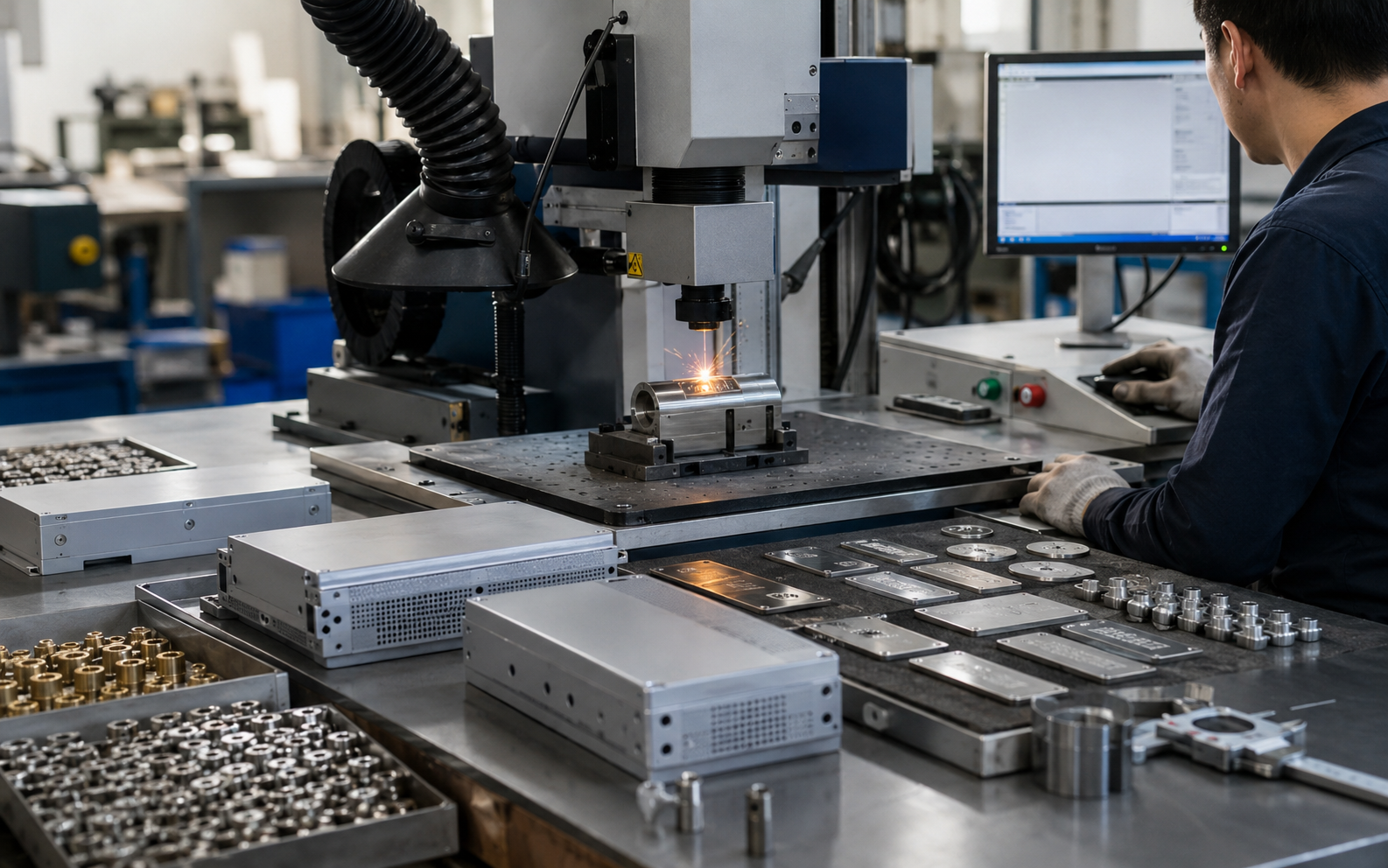
Fiber laser marking systems are widely selected for industrial metal identification because they can create permanent marks without using printing ink, labels, or physical cutting tools.
Depending on the material and selected parameters, a fiber laser can be used for:
- Surface marking with limited material removal
- High-contrast identification marks
- Shallow or deep engraving
- Removal of paint, oxide, or anodized surface layers
- Fine graphics, small characters, and machine-readable codes
Common applications include stainless steel products, carbon steel components, aluminum housings, brass parts, copper components, tools, hardware, automotive parts, electronic enclosures, and industrial nameplates.
However, the final result is affected by the alloy, coating, surface roughness, laser power, pulse settings, lens, focus position, and marking speed. A sample test should therefore be completed before promising a specific color, depth, contrast, or production time to a customer.
1. Start with the Material and Surface Condition
The first selection factor is not machine wattage. It is the actual workpiece.
Ask the customer to identify both the base material and its surface treatment. For example, “aluminum” is not enough information because the part may be:
- Bare aluminum
- Anodized aluminum
- Painted aluminum
- Powder-coated aluminum
- Polished aluminum
Each surface may require a different marking method. An anodized aluminum panel may produce a high-contrast mark by removing or changing the surface layer, while deep engraving on a thick aluminum part requires a different parameter strategy.
The same principle applies to stainless steel, coated steel, galvanized parts, brass, copper, and titanium. A professional service provider should request a real sample whenever the material grade or coating is uncertain.
2. Define the Required Mark Before Selecting Power
Two customers may provide the same stainless steel component but expect completely different results. One may need a fine serial number with minimal surface damage, while another needs a deep logo that remains visible after blasting or repeated handling.
Clarify the following requirements before quoting:
- Required marking depth
- Expected color or contrast
- Character and logo size
- Minimum line width
- Required code readability
- Whether the surface can show heat effects
- Whether post-marking cleaning is acceptable
- Whether the mark must resist abrasion or later processing
These details are more useful than a general request for a “clear” or “high-quality” mark. They also make quotations easier to compare and reduce disputes after production.
3. Choose 20W, 30W, 50W, or 100W Based on the Job
MADE Laser offers
fiber laser marking machine
configurations for different marking requirements. Available power options include 20W, 30W, 50W, and 100W, but the correct choice depends on more than nominal wattage.
| Power Range | Typical Service Applications | Important Considerations |
|---|---|---|
| 20W | Logos, serial numbers, nameplates, small codes, and light surface marking | Suitable when fine detail is more important than deep engraving or maximum throughput |
| 30W | General metal marking, moderate batch production, logos, codes, and light engraving | A practical balance for service providers processing a varied mix of ordinary jobs |
| 50W | Faster metal marking, deeper engraving, hardware, tools, molds, and higher-volume orders | Useful when reducing cycle time or increasing engraving depth is a regular requirement |
| 100W | Heavy engraving, demanding metal removal, and production tasks requiring higher output | Process results still depend on pulse characteristics, lens selection, material, and parameter optimization |
These are selection guidelines rather than guaranteed processing results. A 50W machine is not automatically twice as fast as a 20W machine for every job, and higher power does not always produce better fine details.
Ask the supplier to test representative parts and provide the approximate marking time, visual result, and recommended configuration before placing an order.
4. Match the Marking Area to the Part and Required Detail
The marking lens determines the available working field and influences the focused spot size and energy distribution.
A smaller field is often preferred for small characters, detailed logos, and concentrated processing. A larger field can cover bigger products in one operation, but the machine must still provide the detail and energy density required by the application.
Before selecting the lens, confirm:
- Maximum logo or code dimensions
- Overall workpiece dimensions
- Distance between multiple marking positions
- Smallest required character
- Whether the part can be repositioned
- Whether several parts will be marked in one fixture
Do not automatically choose the largest marking field. For many engraving businesses, changing the fixture or using more than one lens can be more practical than sacrificing marking detail across every order.
5. Select the Machine Structure for Your Workflow
Standard Workstation for Daily Batch Production
A fixed
standard laser marking machine
is suitable for workshops that process small and medium-sized components at a dedicated station.
A stable workstation makes it easier to control focus, use positioning fixtures, repeat jobs, organize batch trays, and maintain consistent operator procedures.
Flexible Fiber Laser System for Varied Metal Orders
A configurable fiber laser system is appropriate for service providers handling different metals, marking contents, order quantities, and engraving depths. Lens, laser power, rotary devices, fixtures, and software functions can be matched to the main order types.
Portable Machine for Large or Difficult-to-Move Parts
A
portable laser marking machine
can be considered when the workpiece is too large, heavy, installed, or inconvenient to place under a conventional marking station.
Typical examples include machinery frames, large molds, installed components, steel structures, repair parts, and on-site identification work.
Portability should not be evaluated by machine weight alone. The operator must also control head positioning, focus distance, workpiece movement, laser safety, power availability, and marking repeatability.
6. Do Not Ignore Fixtures and Part Positioning
Many marking defects are caused by inconsistent workpiece positioning rather than insufficient laser power.
A simple fixture can help operators maintain the same position, angle, and focus distance across hundreds of parts. It can also reduce setup time and prevent reversed or misplaced marks.
Useful production accessories may include:
- Custom positioning fixtures
- Batch trays for small components
- Rotary axes for rings, tubes, and cylindrical parts
- Adjustable Z-axis systems
- Foot switches for repetitive production
- Fume extraction and dust collection
- Protective enclosures and safety interlocks
When requesting a quotation, send photographs or drawings showing how the part will be held. The supplier can then evaluate whether a standard platform, rotary device, custom fixture, or portable head is required.
7. Evaluate Software and Data Handling
Metal marking service providers frequently receive customer artwork in different formats and may also need to generate variable information.
Confirm whether the selected system can support:
- Vector logos and common graphic files
- Serial number generation
- Production dates and batch codes
- QR codes and barcodes
- Imported customer data
- Saved parameter recipes
- Rotary marking
- Multiple marking templates
For recurring orders, save the approved artwork, fixture information, focus position, laser parameters, lens, and inspection standard under a controlled job number. This makes repeat orders easier to reproduce even when a different operator runs the machine.
8. Use a Documented Sample-Test Procedure
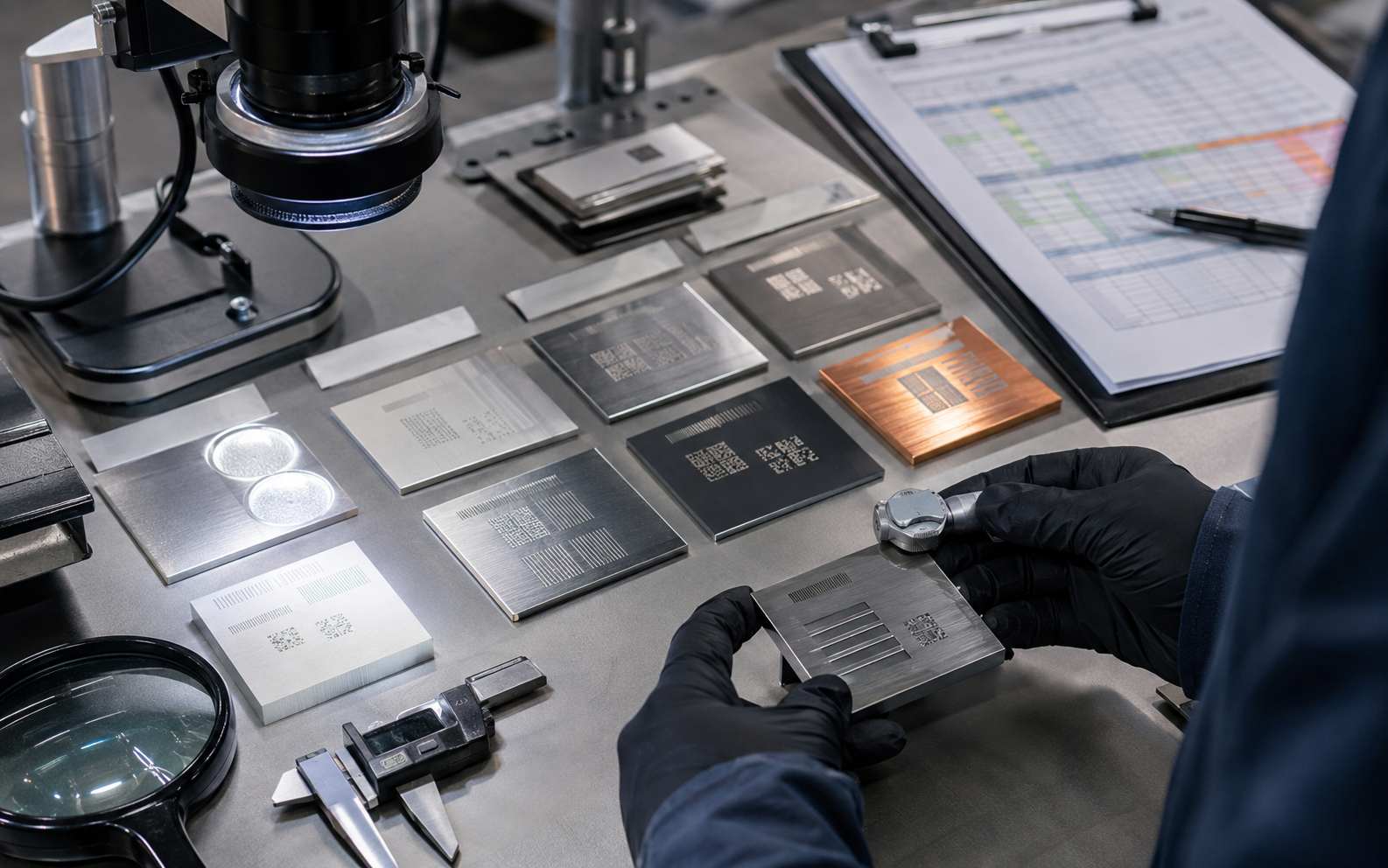
A professional sample test should produce more than one attractive photograph. It should provide enough information to estimate production quality and cost.
- Collect the real material.
Use the same alloy, coating, thickness, and surface finish expected in production. - Define acceptance criteria.
Confirm depth, contrast, position, dimensions, code readability, surface condition, and cycle-time target. - Create a parameter matrix.
Test controlled combinations of power, speed, frequency, line spacing, passes, and focus. - Inspect the result.
Check visual consistency, dimensions, surface damage, code scanning, and mark resistance where required. - Record the approved recipe.
Save the final parameters, lens, fixture, focus position, artwork, and marking time.
This documented approach demonstrates technical competence to customers and helps the service provider quote repeat orders more accurately.
9. Calculate the Full Cost of Each Marking Job
Laser marking quotations should not be based only on the number of parts. Include all production steps that consume labor or create risk.
A practical quotation should consider:
- Artwork preparation
- Initial machine setup
- Fixture design or production
- Sample approval
- Marking cycle time
- Loading and unloading time
- Part cleaning
- Quality inspection
- Packaging and handling
- Reject and rework risk
- On-site service requirements
A faster machine can improve profit only when marking is the actual production bottleneck. If most of the time is spent loading irregular parts, adjusting focus, or cleaning surfaces, better fixtures and workflow may create a greater return than higher laser power.
10. Information to Send Before Requesting a Machine Quotation
A detailed request helps the equipment supplier recommend a realistic configuration instead of sending a generic price.
Prepare the following information:
- Metal type and material grade
- Surface coating or treatment
- Workpiece dimensions and weight
- Marking dimensions
- Logo, text, code, or drawing file
- Required marking depth and appearance
- Expected daily or monthly quantity
- Target cycle time
- Flat, curved, cylindrical, or irregular surface
- Available power supply
- Photographs, drawings, or physical samples
MADE Laser focuses on marking, cutting, and welding solutions for industrial processing and metal fabrication. Buyers can learn more about the supplier and its application-based equipment approach on the
About MADE Laser
page.
Request a Metal Marking Sample Test
Send us your material, surface treatment, marking file, part dimensions, required depth, batch quantity, and target production time. Our team will help evaluate the suitable laser power, marking field, machine structure, and accessories for your business.
Frequently Asked Questions
Can one fiber laser marking machine process every metal?
A fiber laser can process many common industrial metals, but the marking result varies according to alloy, coating, surface finish, and required appearance. Sample testing is recommended before accepting a large order or guaranteeing a specific contrast or depth.
Is a 50W fiber laser always better than a 20W machine?
No. Higher power can support faster processing or deeper engraving in suitable applications, but fine marking quality also depends on pulse characteristics, optics, spot size, focus, software settings, and material response. Select power according to the main job type rather than wattage alone.
What is the best fiber laser power for a new engraving business?
The answer depends on the expected order mix. A business mainly producing nameplates, serial numbers, and logos has different requirements from a workshop specializing in deep tool and mold engraving. Send representative samples to the supplier before selecting a configuration.
When should a service provider choose a portable marking machine?
Portable equipment is useful when parts are too large, heavy, fixed, or inconvenient to place on a normal workstation. The operator must still control focus, positioning, safety, and marking stability.
What should be included in a sample-test report?
Record the material, coating, marking content, lens, focus position, laser parameters, number of passes, marking time, fixture, photographs, and final inspection result. This information helps reproduce approved jobs and prepare accurate quotations.